Answer the size question before they ask it.
A photo, a PDF, a spreadsheet, a pasted table — PopSmart reads any of them into an on-brand chart. Beside the size selector, a fit finder weighs each shopper against your measurements and 5.9M real purchase reviews, then shows the reasoning behind the size it recommends.
Watch the video 0:44- Free plan, not a trial
- Fit finder on every plan
- No code, live in minutes
The size question is the last thing standing between a shopper and the cart.
Apparel shoppers stall on one question: which size is mine? A page that cannot answer it leaves three ways out — measure, guess, or order two sizes. One loses the sale, and the other two send it back.
Shoppers ask about sizing on the product page. This is where a size chart and a fit finder answer them.
- Carts left open
A table is not an answer
A measurement grid asks shoppers to find a tape measure, convert units, and guess. Almost nobody does that mid-purchase — they just leave.
- Hours per collection
Charts built by hand
Supplier specs arrive as a photo, a PDF, or a spreadsheet. Turning each one into a clean table is copy-and-paste work, repeated every collection.
- Off-brand at checkout
Tables that look bolted on
A size chart should be readable and consistent with your storefront. Keep labels and units clear on desktop and mobile.
- Fit varies
The wrong size comes back
The same size label can fit differently across garments. Show your own measurements so shoppers can compare them before choosing.
Your chart is stuck in a file. Not for long.
Drop in a photo, a PDF, a spreadsheet, or a pasted table. PopSmart reads the measurements into an editable draft, flags the cells it is unsure about, and hands you a chart ready to style and publish.
Turn a size chart photo, PDF, or spreadsheet into an editable table, or paste one straight in. Style it to match your storefront and assign it to products or collections.
-
01 SOURCE
-
02 PUBLISH
PUBLISH Size Chest Shoulder Length XS 48 40 64 S 51 42 66 M 54 44 68 L 57 46 70 XL 60 48 72 Sport 13 / 17
-
Bring what you already have
A supplier PDF, a phone photo of a spec sheet, an XLSX export, or a table pasted straight from your notes. There is no template to fill in first.
-
Style it and ship it
Pick a preset, assign the chart to products or collections, and it goes live on the storefront in the block and placement you chose.
Guessed sizes come back. Chosen sizes stay.
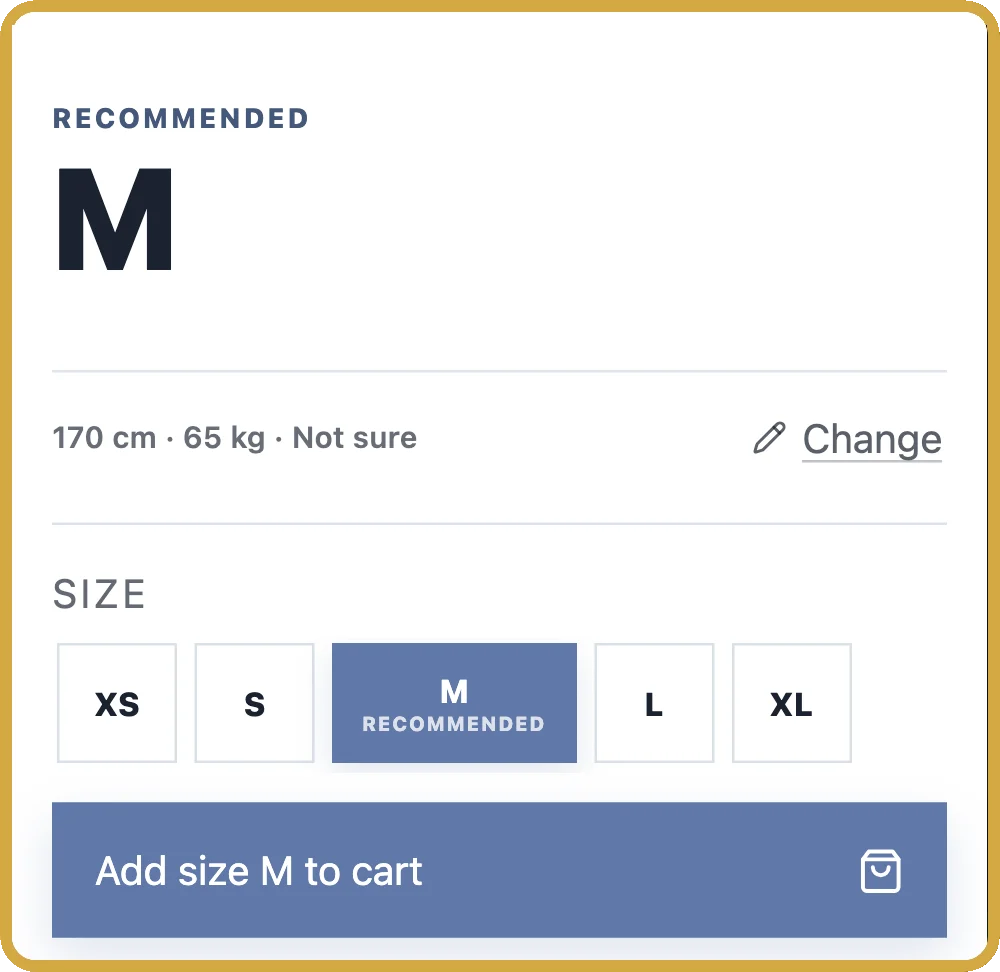
The fit finder runs on the product page itself. A shopper enters a few details, sees which size the garment measurements point to and why, then adds the right size to the cart without ever leaving the page.
The fit finder asks a shopper for height, weight, and how they like clothes to fit, then recommends a size and shows the garment measurements behind it. Recommendations are advisory estimates.
Waffle Knit Sweater
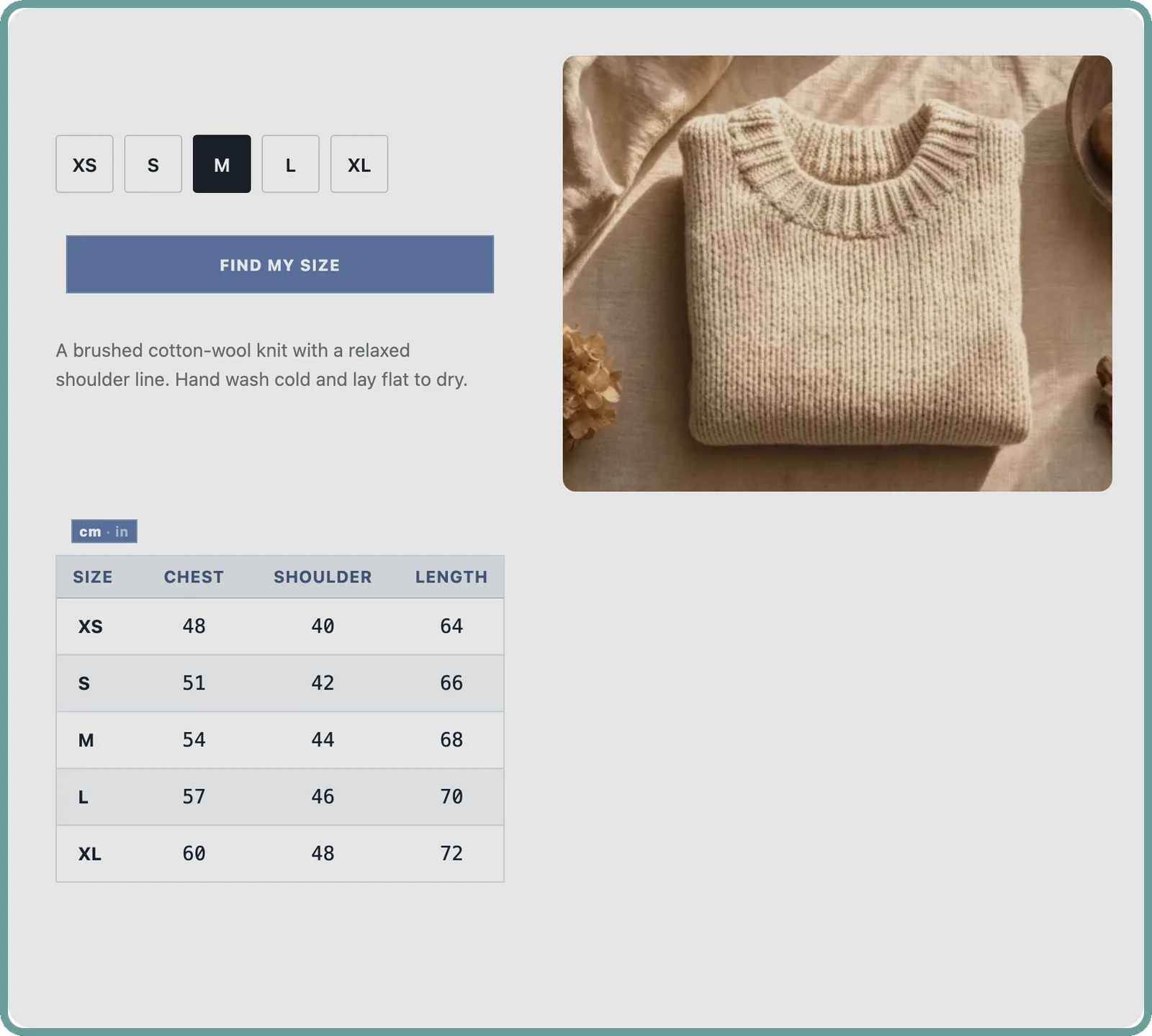
| Size | Chest | Shoulder | Length |
|---|---|---|---|
| XS | 48 | 40 | 64 |
| S | 51 | 42 | 66 |
| M | 54 | 44 | 68 |
| L | 57 | 46 | 70 |
| XL | 60 | 48 | 72 |
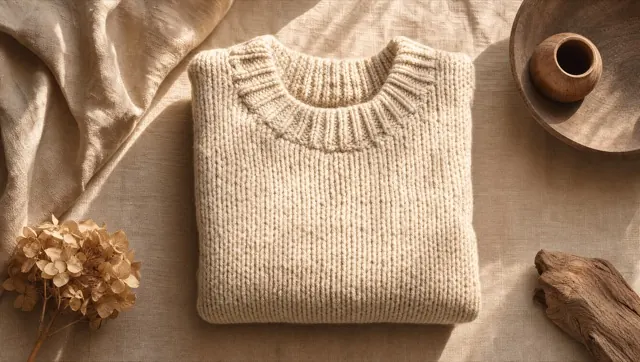
Waffle Knit Sweater
- XS
- S
- M
- L
- XL
Add your measurements
Answer a few quick questions to find your best size for this item.
Your first chart, live in minutes.
No code, no theme files, no developer.
Install from the Shopify App Store, build a chart from a file you already have, and add the size guide to your product page from the app. No code and no theme files.
- 01
Install
One click from the Shopify App Store.
- 02
Create a chart
Import a file or paste a table.
- 03
Publish and assign
Add the app block to your product page and assign the chart to products or collections.
Chart-builder pricing. Fit-finder capability.
Every plan includes the size chart widget, the fit finder, unit and international conversion, 14 languages, and chart and recommendation insights. Paid plans raise the limits.
Free covers 3 published charts and 100 fit recommendations a month. Paid plans start at $9 a month and raise the recommendation, chart, and smart import limits.
-
Free
Try the whole thing
$0 /mo
- 3 published size charts
- 100 fit recommendations a month
- 5 smart imports a month
- Recommendation and chart insights
- PopSmart badge included
-
Starter
Charts without limits
$9 /mo
$86.40/yr
- Unlimited published size charts
- 500 fit recommendations a month
- 50 smart imports a month
- Recommendation and chart insights
- Removable PopSmart badge
- Email support within 72 hours
-
Growth
Stores with real traffic
$19 /mo
$182.40/yr
- Unlimited published size charts
- 7,500 fit recommendations a month
- 300 smart imports a month
- Recommendation and chart insights
- Removable PopSmart badge
- Email support within 48 hours
-
Pro
No ceiling at all
$39 /mo
$374.40/yr
- Unlimited fit recommendations
- Unlimited published size charts
- 1,000 smart imports a month
- Recommendation and chart insights
- Removable PopSmart badge
- Email support within 24 hours
Annual billing saves 20%.
The first eligible paid subscription includes a 14-day trial. Plan changes during that trial carry only the remaining days.
Reach the monthly limit and the widget keeps serving for a three-day grace period, then pauses until the next cycle. No per-recommendation overage fees, and nothing you have published is deleted.
Before you install
Setup guide, pricing and more answers →
Is there a free plan?
Yes. Free covers 3 published charts, 100 fit recommendations a month, and 5 smart imports a month, with chart and recommendation insights included. Paid plans add unlimited charts, higher limits, a removable PopSmart badge, and email support.
How long does setup take?
Installing is one click. Getting a first chart live is usually minutes: import the file you already have, check the flagged cells, pick a preset, and assign it to your products.
Do I need a developer?
No. Select Add to product page in the app, place the PopSmart size guide block on your product template in the theme editor and save the theme. The size chart and fit finder then appear on your product pages, with no code edits, no theme files to touch and no separate display setting.
How accurate are the recommendations?
They are advisory estimates built from the details a shopper supplies and your own product measurements. Bodies, fabrics, and brands vary, so the app suggests a size and shows the reasoning behind it — it does not guarantee fit, comfort, or appearance.
What happens if I hit my monthly limit?
You are warned before you get there. At the limit the widget keeps serving for a three-day grace period, then pauses until the next cycle. There are no overage charges, and charts you have already published are never deleted.
Can I use the size charts I already have?
Yes. Import them as a photo, a PDF, or a spreadsheet, or paste the table straight in. You do not have to rebuild anything by hand.
What happens to shopper data?
Charts, settings, and profiles are scoped to your store. A shopper chooses whether to save a size profile, and saving one is never a condition of buying. Full details are in the Privacy Policy, which you can read before you install.
Does it convert between centimetres and inches?
Yes. The size chart and the fit finder each carry a cm/in switch, so a shopper reads your measurements in the unit they already think in.
Does it show US, EU, UK, JP, and KR sizes?
Yes. International size conversion is included on every plan, including Free, so a chart built in one market’s sizes can be read in another’s without you maintaining a second chart.
What languages does the widget speak?
Fourteen: English, Korean, Japanese, Chinese, Spanish, French, German, Arabic, Hindi, Italian, Portuguese, Russian, Thai, and Vietnamese. You choose which one the storefront widget speaks.
Will it work with my theme?
It runs on Online Store 2.0 themes through an app block. Select Add to product page in the app, place the block on the product template in the theme editor and save the theme — no code edits and no theme files to touch.
Can I assign different charts to different products?
Yes. A published chart can be assigned to individual products or to whole collections, so a denim chart and a knitwear chart can live in one store without either appearing on the wrong page.
Can I make the chart match my store’s design?
Yes. Start from a built-in preset and its colourways, or set the colours, type, borders, and spacing yourself. The chart renders with your settings rather than a fixed look, and what you see while editing is what the storefront shows.
The size question is already on your page. Answer it.
Free plan, no code, and a 14-day trial on the first eligible paid subscription. Install from the Shopify App Store.